
Interactive presentations
Interactive presentation software that gets the whole room involved
LetMeAdd turns a talk, a lesson or a meeting into a conversation. Put polls, quizzes, word clouds and slides into one event, present it full screen, and your audience answers from their own phones. Their answers appear on your screen as they come in.
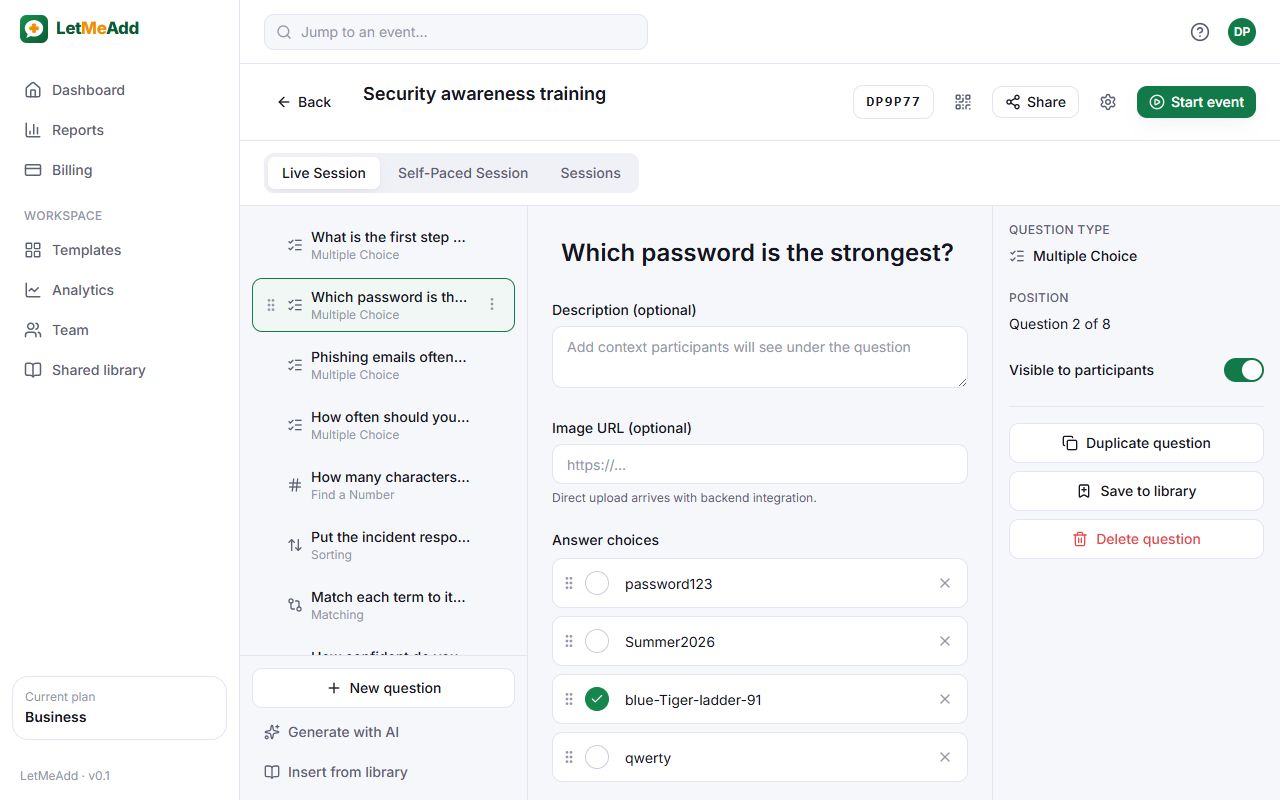
19 ways to involve your audience
Mix question types in a single event and move through them in the order you choose. Content items such as slides, video and a timer sit between questions, so the whole presentation can run in one place.
Check understanding
- Multiple choice
- Open question
- Fill in the blanks
- Find a number
- Matching
- Sorting
- Find on an image
- Label an image
- Drag and drop
Gather opinions
- Poll
- Word cloud
- Brainstorming
- Rating
- Prioritization
Present content
- Slide
- Audio and video
- Timer
Liven things up
- Spin the wheel
- Message wall
Present full screen, steer from the keyboard
The presenter view shows the join code and QR code first, then each question and its live results. Use the arrow keys to move between questions, Space to open or close answering, R to show or hide results and F for full screen.
Run the same event as often as you like
Every time you start an event it becomes a new session with its own audience and results, while the code, link and QR code stay the same. Ideal for a workshop you give every month or a lesson you teach to several classes.
Keep the results
- Every session’s results stay in Reports, question by question.
- Export them as CSV on Starter, and as PDF, PowerPoint or Excel on Pro and Business.
- Business adds analytics across events and sessions.
How it works
Create an event
Add questions one by one, start from a ready-made template, or let AI draft them on Pro and Business.
Share the code
Start a session and show the 6-character code or QR code. People join from any phone, tablet or laptop — no app, no account.
Watch answers arrive
Results update on your screen as people respond. Afterwards, every session’s results are saved in Reports.
Questions
Do participants need to install anything?
No. They open the join link or scan the QR code in their browser and enter the code. There’s no app and no account to create.
Does it work with PowerPoint or Google Slides?
LetMeAdd runs in its own browser tab next to your slides — switch to it when it’s time for a question. You can also add Slide items inside LetMeAdd to show content between questions. There’s no PowerPoint add-in.
How many people can join?
Up to 50 per session on the Free plan, rising to 1,000 on Business.
Try it with your next audience
The Free plan needs no card and doesn’t expire. Create an event in minutes and share the code.
Get started for free